
 By Admin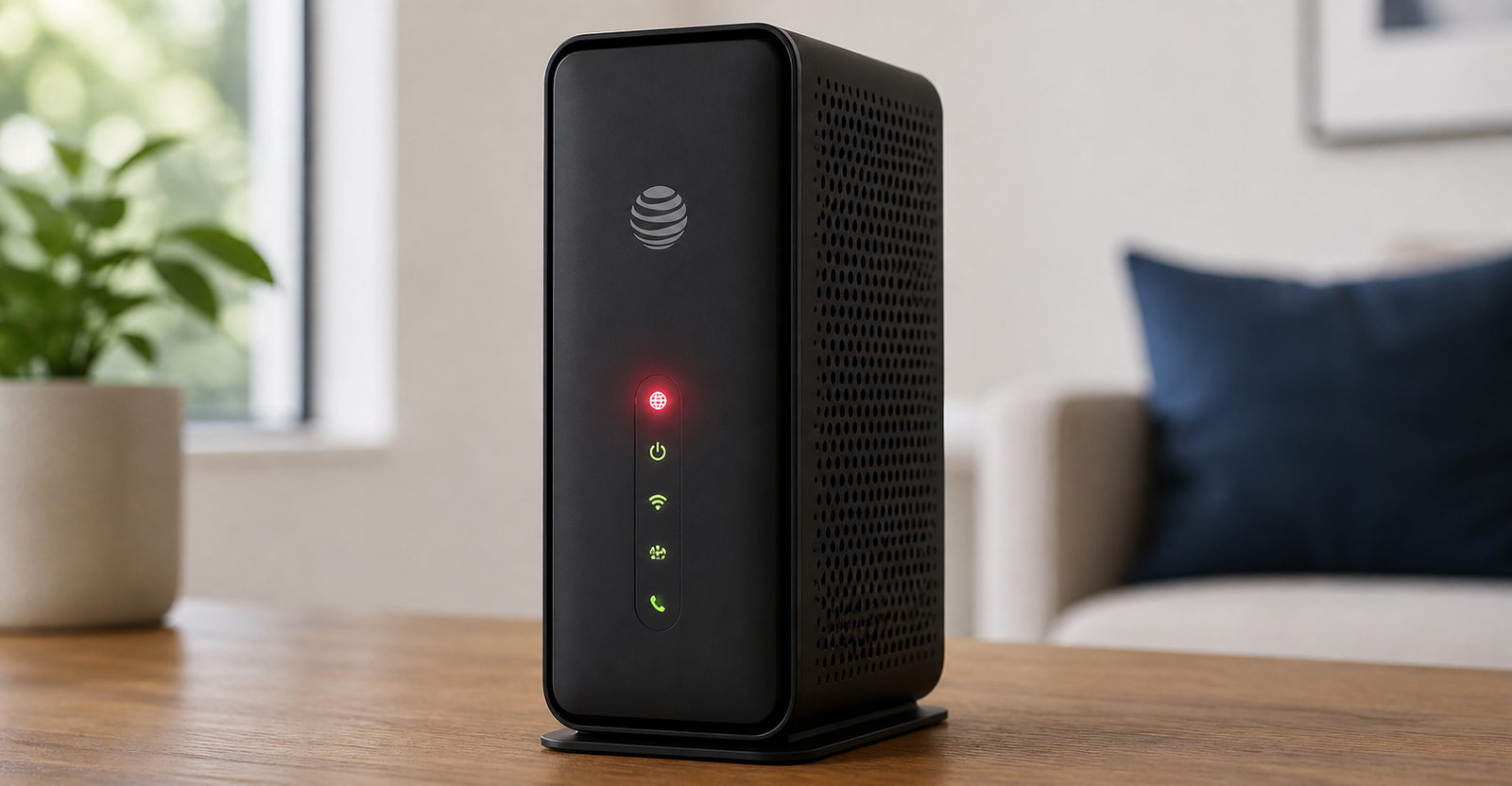
Seeing your AT&T modem flashing red can be frustrating, especially when your internet suddenly stops working. One minute everything is fine, then the next minute your Wi-Fi shows connected but nothing loads, your smart TV stops streaming, or your laptop says there is no internet connection.
The good news is that a red light does not always mean your equipment is broken. In many cases, it points to a connection issue, loose cable, service outage, fiber signal problem, overheating, or a temporary gateway error.
The confusing part is that many people call the same device different things. Some call it an AT&T modem, others call it an AT&T router, and AT&T often calls it a Wi-Fi Gateway or All-Fi Hub. Whether you have an AT&T BGW320, BGW210, BGW620, or another gateway model, the red light usually means the device needs attention.
This guide explains what the red light means, how to tell the difference between a fast and slow blinking red light, and what you can try before contacting AT&T support.
An AT&T modem flashing red usually means your gateway is having trouble connecting to the internet service. The exact meaning depends on your device model and whether the red light is blinking slowly, blinking quickly, or staying solid.
In simple terms, a red light can point to one of these issues:
Your AT&T gateway has lost its broadband connection.
There may be an AT&T service outage in your area.
A cable may be loose, damaged, or disconnected.
The fiber line or broadband signal may not be reaching your home.
The gateway may be overheating.
The device may have a hardware issue.
The gateway may need to be restarted or reset.
A red light is basically your modem’s way of saying something is wrong between your device and the internet network.
One of the biggest things to check is how the red light is blinking. A fast blinking red light and a slow blinking red light can mean different things.
A slow blinking red light on an AT&T gateway often means the device does not have a proper broadband connection. This can happen if a cable is unplugged, the fiber cable is loose, the service signal is down, or the gateway cannot communicate with AT&T’s network.
If your AT&T modem is slowly flashing red, start by checking all cables and then restart the gateway.
A fast blinking red light may point to a network service issue. In many cases, this is not something you can fully fix from inside your home. It could be related to an outage, line problem, activation issue, or service disruption.
If your AT&T modem keeps fast blinking red after a restart, you may need to check for an outage or contact AT&T support.
A solid red light can mean something different again. On some AT&T Wi-Fi Gateway models, a solid red light may point to overheating or a hardware problem. If the device feels very hot, unplug it and let it cool down in an open area.
If it stays solid red after cooling down and restarting, the gateway may need replacement.
There is no single cause for every red light problem. Here are the most common reasons your AT&T router or gateway may be flashing red.
A loose cable is one of the easiest problems to miss. Your AT&T gateway depends on a stable connection from the wall, fiber jack, phone line, Ethernet port, or power outlet, depending on your service type.
Check the power cord, Ethernet cable, green fiber cable, DSL telephone cord, and any wall connection linked to your internet service. Make sure everything is pushed in firmly.
If a cable looks bent, cracked, pinched, or damaged, it may need to be replaced.
Sometimes the problem is not your modem at all. An AT&T outage in your area can make your gateway flash red even when your equipment is working normally.
Outages may happen because of storms, power problems, fiber line damage, maintenance work, or local network issues. If several people nearby are also having internet problems, an outage is more likely.
Before doing a factory reset, check for an outage through Smart Home Manager, myAT&T, or AT&T’s service status tools.
If you have AT&T Fiber, your gateway needs a clean fiber signal. A problem with the fiber line, wall jack, ONT setup, or outside service line can cause a red blinking light.
This is especially possible if the red light started after nearby construction, cable work, apartment maintenance, a power outage, or someone moving equipment near the fiber connection.
If your BGW320 flashes red, briefly turns white, then goes red again, the gateway may be trying to connect but failing to hold the signal.
Your AT&T modem needs airflow. If it is sitting on carpet, inside a cabinet, behind a TV, near a heater, or stacked under other electronics, it may overheat.
Overheating can cause slow performance, random disconnects, red warning lights, and complete connection failure.
Place the gateway on a flat surface in an open space. Keep it away from direct sunlight and do not cover it with books, boxes, or decorations.
If the red light does not go away after checking cables, restarting, cooling the device, and checking for outages, the gateway itself may have a hardware problem.
This can happen with any equipment over time. Power surges, heat, old wiring, or internal failure can cause a modem or gateway to stop working properly.
In that case, AT&T support may need to run a remote line test or send a replacement gateway.
If your AT&T modem is flashing red during a new setup, it may not be activated yet, or the service line may not be ready.
This can happen during self-installation. The gateway may power on, blink through different colors, and then turn red because it cannot complete activation.
If you are setting up a new AT&T Internet service and the red light will not clear, check your activation instructions first. If everything is connected correctly and the light stays red, contact support.
Start with the simple checks before doing anything drastic. A factory reset should not be the first step unless you have already tried easier fixes.
Look at every cable connected to your AT&T gateway.
Make sure the power cable is firmly connected to the gateway and wall outlet.
Check the fiber cable if you have AT&T Fiber.
Check the DSL phone cord if you have DSL service.
Make sure Ethernet cables are connected properly.
Look for damaged connectors or bent cables.
Avoid pulling too hard on the green fiber cable because fiber connections can be delicate. If it looks damaged, do not keep forcing it into place.
A simple restart can fix many temporary connection problems.
Unplug the power cord from the gateway.
Wait about 20 to 30 seconds.
Plug the power cord back in.
Wait several minutes while the gateway powers up.
Watch the status light.
Do not expect the gateway to reconnect instantly. Some models can take several minutes to fully restart. If the light turns white and stays white, the connection is likely back.
If it goes back to red, move to the next steps.
Before resetting your modem, check whether AT&T Internet is down in your area.
You can use Smart Home Manager, myAT&T, or AT&T’s outage tools. If there is an area outage, restarting your gateway repeatedly will not fix the problem. You will need to wait until service is restored.
This is one of the most important steps because many users waste time resetting equipment when the real issue is outside the home.
If your AT&T router feels hot, unplug it and let it cool down. Move it to a better location with more airflow.
Avoid placing it:
Inside a closed cabinet
On thick carpet
Near a heater
Behind a TV
Under other electronics
In direct sunlight
Once it cools down, plug it back in and check whether the red light clears.
Even if the gateway does not feel extremely hot, poor placement can weaken performance. Keep the device upright if the model is designed that way. Give it open space on all sides.
This can help with both heat and Wi-Fi performance.
A reset is different from a restart. Restarting simply turns the device off and back on. Resetting can restore factory settings.
On many AT&T gateways, you can hold the reset button for around 10 seconds. This may help if the device is stuck or cannot reconnect after basic troubleshooting.
But be careful. A factory reset may erase custom Wi-Fi names, passwords, port settings, and other changes. If you have custom settings, make sure you understand what will be lost before resetting.
Smart Home Manager can help check the status of your AT&T Internet, run basic troubleshooting, and identify some connection problems.
It may show whether your gateway is online, whether there is an outage, or whether your equipment needs attention. For many users, this is easier than guessing based only on the light color.
If your AT&T modem flashing red problem continues after cable checks, restart, outage check, and reset, it is time to contact AT&T support.
You may need support if:
The red light returns after every restart.
The gateway turns white briefly, then flashes red again.
Your neighbors also have no internet.
The fiber cable or wall jack looks damaged.
There was recent construction or cable work nearby.
Your modem is solid red and will not recover.
The gateway feels hot even in an open space.
You have no internet after self-installation.
Support can run a remote line test, check your service status, schedule a technician visit, or replace the gateway if needed.
If your AT&T gateway turns white for a short time and then starts blinking red again, it may be trying to connect but failing to keep the broadband signal.
This can happen because of a weak fiber signal, damaged line, outage, bad cable, or gateway issue. If this happens once, restart the gateway and check your cables. If it keeps happening, it is likely not a simple Wi-Fi problem.
At that point, check for an outage and contact AT&T support if no outage is listed.
Sometimes your phone or laptop may show that it is connected to Wi-Fi, but websites still do not load. This can be confusing, but it makes sense.
Your device may be connected to the AT&T router, but the router itself may not be connected to the internet. Wi-Fi and internet are not the same thing. Wi-Fi is the local wireless connection inside your home. Internet is the service connection coming from AT&T.
If the modem is flashing red and your device says Wi-Fi connected but no internet, the problem is likely with the broadband connection, outage, or gateway status.
Do not rush to replace the gateway right away. A flashing red light can be caused by a service outage, loose cable, or line issue, not just bad hardware.
However, replacement may be needed if the gateway has a confirmed hardware failure, stays solid red, overheats repeatedly, or fails after AT&T support checks the line.
If the device is rented or provided by AT&T, support will usually guide you through the replacement process if needed.
If your AT&T modem is flashing red, follow this order:
Check all cables and wall connections.
Restart the gateway.
Wait several minutes for it to reconnect.
Check for an AT&T outage.
Move the gateway to a cooler, open location.
Try Smart Home Manager.
Use the reset button only if needed.
Contact AT&T support if the red light continues.
This order helps you avoid unnecessary resets and makes it easier to explain the problem if you need support.
Some red light problems cannot be fixed from your living room. You may need a technician if the issue is outside your home, inside the wall connection, or related to the fiber line.
A technician may be needed if:
The green fiber cable or wall jack is damaged.
The gateway never gets a stable broadband connection.
The red light started after outside cable work.
Your service line fails a remote test.
The modem flashes red after every reset.
There is no listed outage, but your gateway will not connect.
In these cases, repeatedly restarting the modem will usually not solve the problem.
An AT&T modem flashing red usually means your gateway is struggling to connect to the internet. A slow blinking red light often points to no broadband connection, while a fast blinking red light may suggest a network service issue. A solid red light can point to overheating or hardware trouble, depending on your gateway model.
Start with the basics: check cables, restart the gateway, look for an AT&T outage, and make sure the device is not overheating. If the red light keeps coming back, use Smart Home Manager or contact AT&T support for a line test.
The key is not to panic. In many cases, the problem is fixable. And when it is not something you can fix yourself, the red light gives you a clear sign that the issue may need support, a technician visit, or equipment replacement.