
 By Admin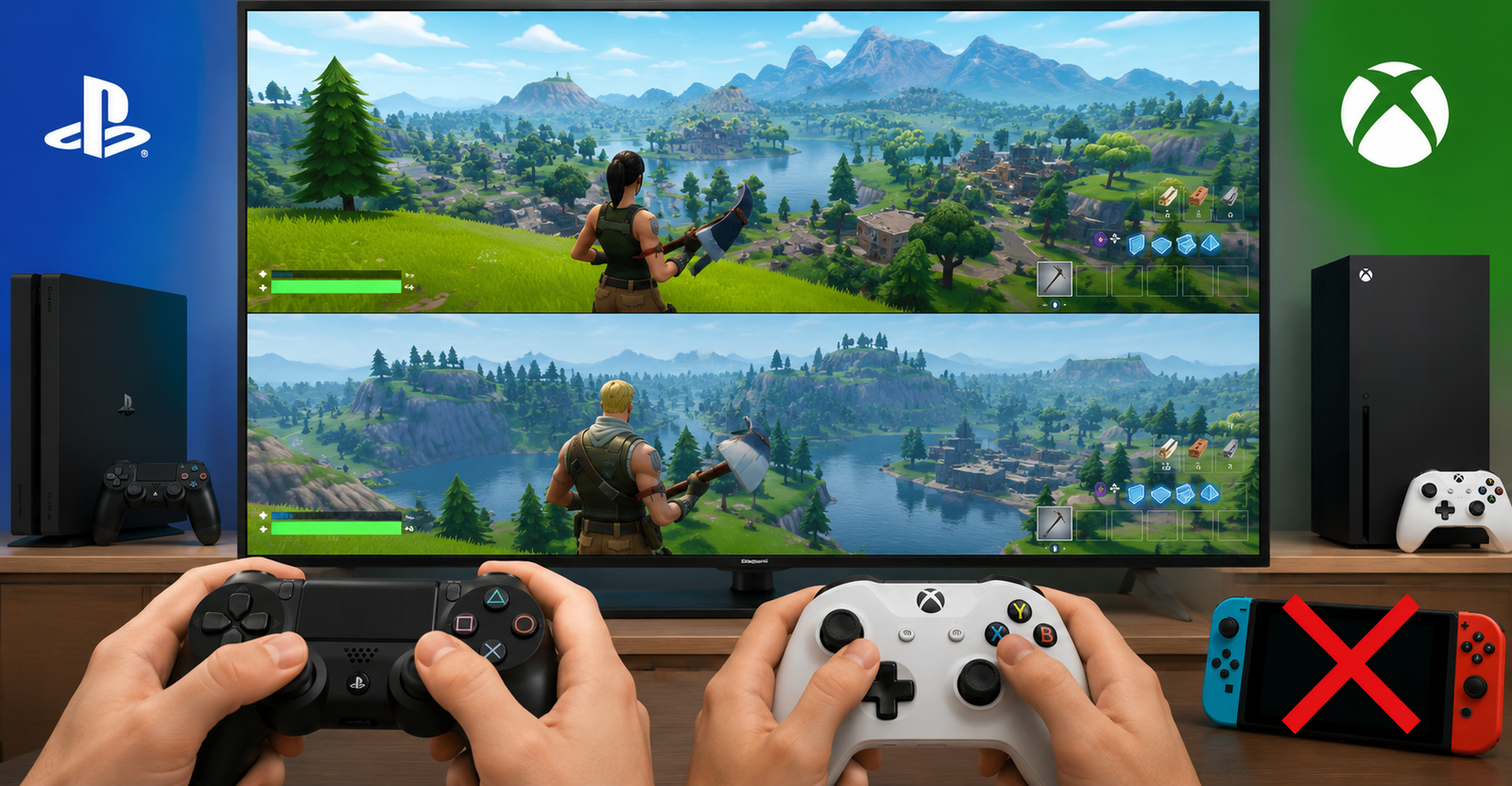
Fortnite is usually seen as an online multiplayer game, but many players still ask one simple question: is Fortnite split screen? The answer is yes, but only on certain consoles and in supported modes.
If you are trying to play with a friend, sibling, or family member on the same TV, Fortnite has a local multiplayer feature, also known as split screen, splitscreen, or couch co-op. Epic Games currently says this feature works on PlayStation and Xbox consoles for supported Fortnite experiences such as Battle Royale, Zero Build, LEGO Fortnite Odyssey, LEGO Fortnite Brick Life, and more.
That means PS4 Fortnite split screen, Fortnite split screen Xbox, split screen Fortnite Xbox One, PS5 split screen, and Xbox Series X/S split screen are possible. However, split screen Fortnite Switch is not supported, and the same goes for PC and mobile.
Yes, you can split screen Fortnite, but only if you are playing on a supported PlayStation or Xbox console. So when players ask, can you split screen on Fortnite, the real answer depends on the device.
Here is the simple version:
| Platform | Fortnite Split Screen Support |
| PS4 | Yes |
| PS5 | Yes |
| Xbox One | Yes |
| Xbox Series X/S | Yes |
| Nintendo Switch | No |
| PC | No |
| Mobile | No |
So, does Fortnite have split screen? Yes. Can Fortnite be split screen on every platform? No. Epic Games lists Nintendo Switch, PC platforms, mobile devices, Creative, Limited Time Modes, Save the World, Ranked Mode, and Solos as unsupported for Local Multiplayer.
If you want to know how to play split screen on Fortnite, the setup is easier than many players think. You need one supported console, two controllers, and two console accounts.
Follow these steps:
- Start Fortnite on your PS4, PS5, Xbox One, or Xbox Series X/S.
- Go to the Fortnite lobby.
- Connect a second controller.
- Select the second player’s console account.
- Link the second player’s Epic Games account when Fortnite asks.
- Wait for the second player to appear in the lobby.
- Choose a supported mode and start playing.
Epic’s official guide says Guest and Quick Play console accounts are not supported, so the second player needs a proper console account. The second player may also need to connect an Epic Games account to access their Locker, Battle Pass, Quests, and progress.
This is the basic answer for how to split screen on Fortnite, how to play splitscreen Fortnite, and how to do split screen in Fortnite.
Many players search for how to play Fortnite split screen PS4 because PS4 is still one of the most common Fortnite consoles. The good news is that is Fortnite split screen on PS4 has a simple answer: yes, Fortnite split screen works on PS4.
To set up PS4 Fortnite split screen, turn on your PS4, open Fortnite, and enter the lobby with Player 1. Then connect the second controller and sign into a second PlayStation account. Fortnite should show an option for the second player to join. Once the second player appears in the lobby, you can start a supported match.
If you are asking can you play Fortnite split screen PS4, the answer is yes, as long as both players have separate accounts and you are not trying to play an unsupported mode such as Solos, Ranked, Save the World, or an unsupported Discover experience.
A common mistake is trying to use a guest account. That usually causes problems because Fortnite needs a real second console account, not a temporary guest login.
The process for how to split screen Fortnite PS5 is almost the same as PS4. Start Fortnite, go to the lobby, connect a second DualSense controller, and sign in with a second PlayStation account.
Once the second player joins, Fortnite will place both players into the same local multiplayer session. The lobby is not fully shared in the same way as normal single-player menus, and Local Multiplayer only fully starts once you are in a supported match. Epic also notes that lobby and sub-menus are not shared in Local Multiplayer.
For the smoothest PS5 experience, make sure both controllers are fully connected, both accounts are signed in, and both players have the same language settings. Epic lists matching language settings as one of the requirements for Local Multiplayer.
If you are playing on Xbox, the setup is just as simple. Players often search how to do split screen on Fortnite Xbox, Fortnite Xbox split screen, or split screen Fortnite Xbox, and all of these mean the same thing.
Here is how to play:
- Launch Fortnite on Xbox One or Xbox Series X/S.
- Enter the lobby with the first player.
- Turn on the second Xbox controller.
- Sign into a second Xbox profile.
- Link the second player’s Epic Games account if prompted.
- Wait for Player 2 to appear.
- Pick a supported Fortnite mode and start the match.
This works for split screen Fortnite Xbox One and newer Xbox consoles. If the second player does not show up, check that the second controller is assigned to the correct Xbox account and that you are not using a guest profile.
If your main question is how to play 2 player on Fortnite, split screen is the local way to do it. Instead of using two consoles and two TVs, both players play on the same screen with two controllers.
This is also the answer to how to do 2 player on Fortnite, how to play two players on Fortnite, and how to play Fortnite with 2 players. You need:
- One PS4, PS5, Xbox One, or Xbox Series X/S
- Two controllers
- Two console accounts
- Two linked Epic Games accounts
- A stable internet connection
- A supported game mode
Even though the players are on the same console, Fortnite still needs internet. Epic specifically says Local Multiplayer needs a stable internet connection, and if one player disconnects or leaves the match, the local multiplayer session ends.
This is where many players get confused. Split screen Fortnite Switch is not available. You can play Fortnite on Nintendo Switch, but you cannot play split screen on the same Switch console.
So if you are asking can you get split screen on Fortnite for Nintendo Switch, the answer is no. Epic officially lists Nintendo Switch as unsupported for Local Multiplayer.
That means you cannot connect two Joy-Cons or two controllers and play Fortnite split screen on Switch like you can on PS4, PS5, Xbox One, or Xbox Series X/S. If two players want to play Fortnite together on Switch, each player needs their own device and account.
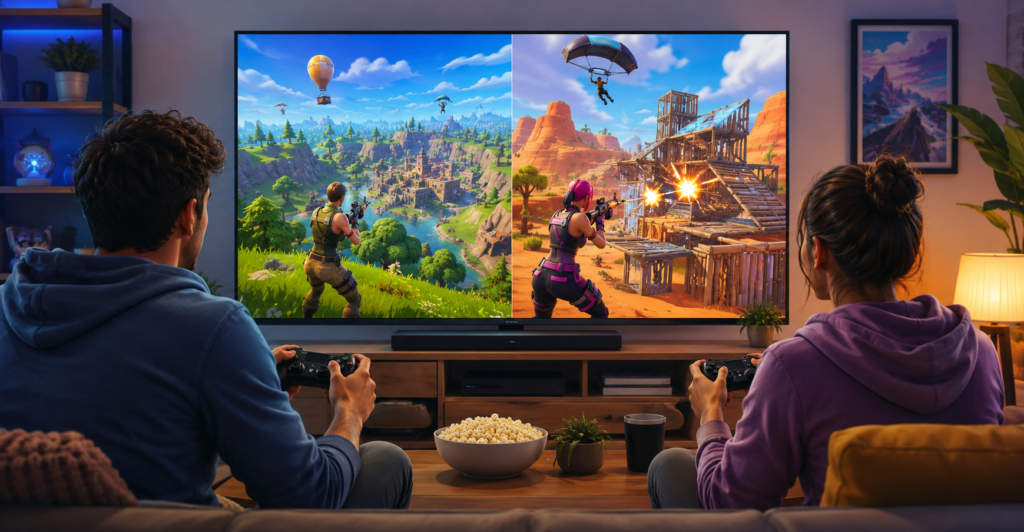
No, you cannot play Fortnite with split screen in every mode. This is one reason players think the feature is broken. They set up two controllers, but the option does not work because the selected mode does not support Local Multiplayer.
Epic says Local Multiplayer is not supported in Solos, Ranked Mode, Save the World, Creative, Limited Time Modes, PC, mobile, or Nintendo Switch.
For the best chance of getting it working, choose supported Fortnite experiences where Local Multiplayer is available. You can also check Discover and look for the Local Players tag or the Great for Local Multiplayer row.
So when players ask can you play Fortnite with split screen, the answer is yes, but only in the right place, on the right console, and with the right mode.
If you followed the steps but split screen still does not work, do not panic. Most issues come from accounts, controllers, internet connection, or unsupported modes.
Here are the most common fixes:
Check your platform
Split screen for Fortnite only works on PlayStation and Xbox consoles. If you are on Switch, PC, or mobile, the feature will not work.
Use two real accounts
Guest and Quick Play accounts are not supported. Player 2 should sign in with a normal console profile and link an Epic Games account when asked.
Try a supported mode
Do not test split screen in Solos, Ranked, Creative, LTMs, or Save the World. Try a supported local multiplayer experience instead.
Match the language settings
Both players need the same language settings for Local Multiplayer. This small setting can cause problems if one account is using a different language.
Check your internet
Fortnite split screen still needs a stable online connection. If the connection drops, the session may end.
Restart Fortnite
Sometimes the second player option does not appear right away. Close Fortnite, reconnect both controllers, and try again from the lobby.
Fortnite is not only a split screen game, but it does include split screen as one of its local multiplayer features on supported consoles. So when someone asks is Fortnite a split screen game, the best answer is: Fortnite has split screen, but it is not available everywhere.
It works best as Fortnite multiplayer split screen for two players who want to share one console and one screen. It is a useful option for families, siblings, couples, and friends who want to play together without buying a second console.
No, both players should use separate accounts. Player 1 signs into Fortnite normally, and Player 2 signs in through a second console profile. If Player 2 wants their skins, Battle Pass progress, and Locker items, they need to link their own Epic Games account.
This is important because some players ask can you do Fortnite split screen with one main account and a guest profile. In most cases, that is where the setup fails. Fortnite’s official setup requires choosing a second player’s console account, and guest or Quick Play accounts are not supported.
Playing on split screen is fun, but the screen space is smaller, so communication matters more. Sit close enough to see your half of the screen clearly, and talk to your teammate before rushing fights.
A few useful tips:
- Mark enemies and loot often.
- Do not run too far from your teammate.
- Share ammo and healing items when needed.
- Let one player focus on building or cover while the other watches for enemies.
- Use a larger TV if possible.
- Keep both controllers charged.
- Avoid changing settings during a match because menus are not shared the same way.
Also remember that players cannot share inventory through Local Multiplayer, so each player needs to manage their own weapons, ammo, and healing items.
Can you split screen in Fortnite?
Yes, on PS4, PS5, Xbox One, and Xbox Series X/S.
Can you play split screen on Fortnite?
Yes, if you are using a supported PlayStation or Xbox console.
Can Fortnite split screen on Switch?
No, Nintendo Switch does not support Fortnite split screen.
How do you play split screen on Fortnite?
Start Fortnite, go to the lobby, connect a second controller, sign into a second account, link an Epic Games account, and start a supported mode.
How do you do split screen on Fortnite Xbox?
Connect a second controller, sign into another Xbox profile, link the Epic account if needed, and wait for Player 2 to join the lobby.
Is Fortnite split screen for PS4?
Yes, Fortnite split screen works on PS4.
Do Fortnite have split screen?
Yes, Fortnite has split screen on PlayStation and Xbox, but not on Switch, PC, or mobile.
Before starting, make sure you have everything ready:
- Supported console: PS4, PS5, Xbox One, or Xbox Series X/S
- Two working controllers
- Two separate console accounts
- Epic Games account linked for Player 2
- Stable internet connection
- Same language settings for both players
- Supported Fortnite mode
Once that is ready, you can play Fortnite split screen with two players on the same console. For PS4, PS5, and Xbox users, it is one of the easiest ways to enjoy Fortnite together from the same room. For Switch players, the answer is still no: Fortnite runs on Nintendo Switch, but split screen Fortnite Switch support is not currently available.