
 By Admin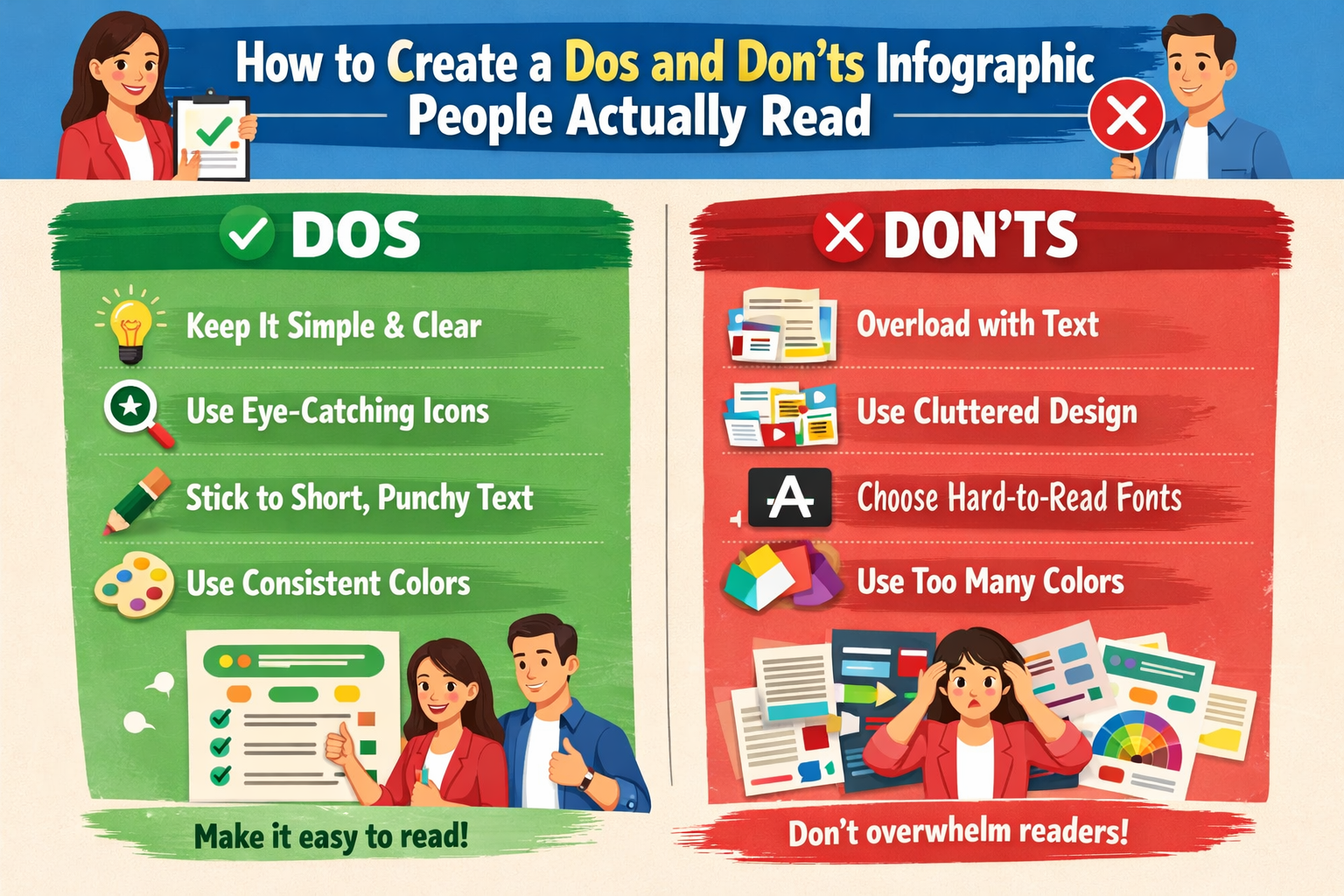
A lot of infographics look polished at first glance but still fail for one simple reason. Nobody actually wants to read them.
That usually happens when the design gets more attention than the message. The layout may be colorful, the icons may be sharp, and the typography may look modern, but if the content feels crowded, confusing, or disconnected, people scroll past it. The best dos and don’ts infographic does the opposite. It gives readers a clear takeaway, helps them understand something quickly, and makes the information feel easy to follow. That is also the advice repeated across top design, marketing, and research communication sources, which consistently stress clarity, storytelling, audience fit, visual hierarchy, and readability as the foundations of an effective infographic.
If you want to create a dos and don’ts infographic people actually read, the goal is not just to make it attractive. The goal is to make it useful.
The biggest mistake people make with an infographic is trying to cover too much at once. They treat it like a giant document instead of a visual explanation.
A strong dos and don’ts infographic needs one clear message. That message could be about workplace behavior, customer service, classroom etiquette, safety rules, brand guidelines, social media best practices, or even design principles. What matters is that the reader can understand the point within seconds. Sources across design and communication guidance consistently warn against stuffing too much information into one graphic and recommend focusing on a single storyline or takeaway.
Before you design anything, ask yourself a simple question: what should the reader remember after looking at this?
If you cannot answer that in one sentence, the idea is probably still too broad.
A good infographic is not built around what the creator wants to show. It is built around what the reader needs to understand.
That is why audience matters so much. A graphic made for employees in a workplace will look different from one made for students, customers, patients, or social media followers. The tone, wording, and examples should feel right for the people reading it. Competitor guidance repeatedly recommends tailoring infographics to the intended audience and avoiding one-size-fits-all design choices.
For example, if your dos and don’ts infographic is meant for a busy office team, readers probably want fast, direct language. If it is for a school or public awareness campaign, it may need a friendlier tone and more visual explanation. If it is for social media, it needs to be even more scannable.
People read faster when the content feels like it was made for them.
The easiest way to lose a reader is to present information without flow.
An effective dos and don’ts infographic should move in a way that feels natural. That could be a top-to-bottom layout, a side-by-side comparison, or a clearly divided section for Do and Don’t guidance. The exact format can change, but the structure should always guide the eye. Many of the top competitor sources emphasize storytelling, sequence, layout planning, and a logical information path as essential to infographic success.
This is where visual hierarchy becomes important. Your heading should stand out first. Then the section labels. Then the supporting text. Then the icons or illustrations that reinforce the point. Readers should never have to guess where to look next.
If your layout makes people stop and figure out the order, you have already lost momentum.
One of the biggest myths about infographics is that less text always means better design. That is not exactly true.
The real goal is not less text. It is better text.
Your wording should be short, clear, and useful. A dos and don’ts infographic works best when each point feels direct and specific. Instead of writing something vague like “Be professional,” say “Use clear language in client emails.” Instead of saying “Avoid mistakes,” say “Do not overload slides with too much text.”
Top guidance from design and science communication sources consistently recommends clear and concise text, enough context to make the information understandable, and copy that supports the visuals instead of fighting them.
This is where a lot of graphics fall apart. They either say too much, which makes the design feel cramped, or they say too little, which makes the message feel shallow. The sweet spot is short copy with a clear purpose.
A pretty infographic is not always a helpful one.
Icons, illustrations, charts, and shapes should do more than fill space. They should make the information easier to grasp. The strongest competitors in this space keep repeating the same advice: use graphics that fit the content, use the right chart for the right type of information, and avoid design choices that distract from the message.
If you are creating a dos and don’ts infographic, visuals can help readers process the contrast quickly. A green check mark, red cross, comparison layout, or two-column structure can work well because the format itself supports the message. You can also use simple illustrations to show a good example next to a bad one.
What you want to avoid is random decoration. Extra shapes, flashy graphics, or unrelated images may look energetic, but they often make the graphic harder to read. A visual should earn its place.
A lot of people try to maximize every corner of an infographic. The result usually feels cramped and exhausting.
White space is what gives your content room to breathe. It helps separate ideas, improves readability, and makes the layout feel more intentional. Several competitor sources explicitly warn against cluttered design and recommend leaving enough breathing room so the viewer can process each section without feeling overwhelmed.
This matters even more in a dos and don’ts infographic, because the format depends on contrast. Readers need to see the split between good practice and bad practice clearly. If every section is packed too tightly, that contrast disappears.
Clean design feels easier to trust. And when something is easier to trust, it is also easier to read.
Color can help an infographic feel organized, but only when it is used with purpose.
In a dos and don’ts infographic, color is often part of the communication itself. Green may suggest the correct action. Red may highlight what to avoid. A neutral base can keep everything balanced. Competitor guidance frequently recommends a consistent color scheme and warns against odd or confusing design choices that make the content harder to interpret.
The key word here is consistent. If every section uses different colors without a reason, the layout starts to feel noisy. A limited palette usually works better because it creates a sense of order.
The reader should feel guided by color, not attacked by it.
Not every infographic needs charts or statistics, but when you do use them, they need to be easy to understand.
One common mistake is dropping numbers into the design without context. Another is choosing a chart that looks impressive but says very little. Top sources on infographic design repeatedly stress the importance of credible sources, appropriate data visualization, and enough context to help readers understand what the numbers actually mean.
In a dos and don’ts infographic, data often works best in moderation. One strong stat can make a point more convincing. A small comparison chart can reinforce the difference between effective and ineffective behavior. But if the numbers are doing all the work, the piece may start to feel more like a report than a quick-read visual guide.
Use data to sharpen the message, not bury it.
Most people do not begin by reading every line of an infographic. They scan it first.
That means your design has to succeed at a glance. The title should tell readers exactly what they are about to get. Section headers should make the structure obvious. Icons should reinforce the content. The most important points should be visible even before someone reads the smaller text. This scan-first behavior is exactly why top competitor pages emphasize easy-to-scan layouts, visual hierarchy, and bite-sized information.
Think of it this way. If someone only gives your graphic eight seconds, will they still understand the core message?
That question usually leads to better design decisions.
A surprising number of infographics stop right after the information ends. They explain something well, then give the reader nowhere to go.
That is why a call to action matters. Marketing-focused competitors regularly mention the value of a clear and relevant CTA, whether the goal is to encourage sharing, direct people to a blog post, support a campaign, or drive traffic to a website.
Your call to action does not need to feel salesy. It can be simple. Read the full guide. Download the checklist. Share this with your team. Visit our website for more tips. The point is to give the reader a next step that feels connected to the content they just consumed.
A good infographic should not just inform. It should lead.
One of the smartest things you can do is show the infographic to someone who was not involved in making it.
Can they understand the message quickly? Do they know where to look first? Do the do and don’t examples make sense immediately? Several competitor sources recommend outside review because creators are often too close to the design to notice confusion, clutter, or weak phrasing.
This step is simple, but it saves a lot of trouble. What feels obvious to you may not feel obvious to a reader.
And that is really the whole point of a dos and don’ts infographic. It should remove confusion, not create more of it.
The best dos and don’ts infographic is not the one with the most effects, the most colors, or the trendiest layout. It is the one that helps a reader understand something quickly and remember it later.
That usually comes down to a few core choices: a strong message, an audience-first approach, short and purposeful copy, clean visual hierarchy, enough white space, relevant visuals, and a clear call to action. Those principles show up again and again across the strongest competitor content because they work.So if you want people to actually read your infographic, stop thinking about how to make it look busier or smarter. Focus on making it clearer.